Why Slack Became My Dashboard
As a solo developer, there is no one to talk to. No one to ask “what did you work on yesterday?” in the morning, no one to announce “deployment is done,” and no one to track whether a bug reported over KakaoTalk (Korea’s dominant messaging app) has actually been fixed. Trying to juggle all of this while writing code is not multitasking – it is attention fragmentation.
On a team, these things happen naturally. You share yesterday’s progress in standup, someone posts deployment notifications in a channel, and when a Jira ticket changes status, the reporter gets an email. When you are working solo, systems have to fill all of these roles.
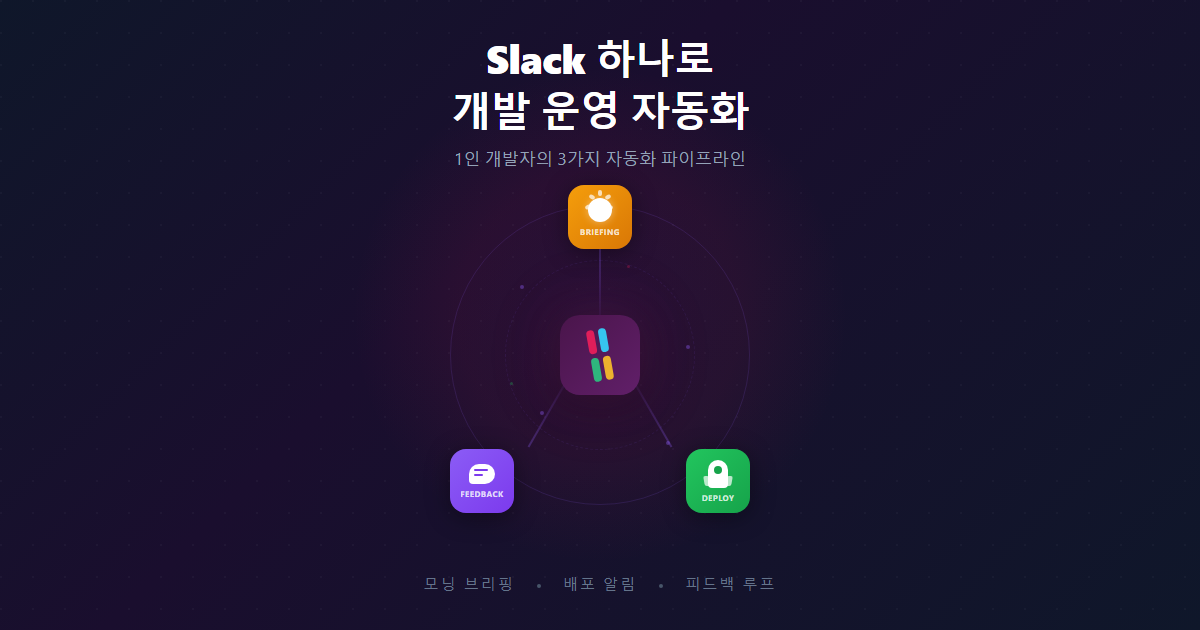
I did not set out to design Slack as a development dashboard. The morning briefing came first, then deployment notifications appeared separately, then the feedback loop was built on its own. But looking back, the three had formed a single ecosystem.
Work keeps running after I leave for the day. When I open Slack in the morning, yesterday’s work is summarized for me. When a deployment finishes, it tells me what changed. When a user reports a bug, they get notified automatically when it is fixed. These three things remove a significant chunk of the operational burden of solo development. The total time I personally spent building all of this was close to zero. I told Claude Code “build me something like this” and went to do other things. Thanks to AI coding, it is now possible to have this level of operational infrastructure without paying for collaboration tools.
The concrete implementation of each system will be covered in follow-up posts. This post covers the overall structure and design principles first.
Three Pillars
1. Morning Briefing – The “What Did I Do Yesterday?” Problem
Every morning at 09:00, a Slack message arrives. It contains a summary of yesterday’s commits, a list of in-progress Features, and notes I left before signing off.
Here is how it works. Claude Code’s scheduled agent (remote trigger) wakes up every morning on Anthropic’s cloud, clones the git repo, and analyzes yesterday’s commits and wrap-up records. The problem was that this agent cannot directly call external webhooks due to network restrictions.
The solution turned out to be surprisingly simple. The agent produces a JSON file with the analysis results and pushes it via git. GitHub Actions detects this and sends it to the Slack webhook. Git acts as a message queue.
The real core of this system is not the briefing itself, but a local routine called /wrap-up that I run before signing off. Claude Code summarizes the day’s sessions, and I leave a one-line note like “finish PIN integration tomorrow.” This routine takes about a minute, but it eliminates the 15 minutes of context recovery that would otherwise happen the next morning.
2. Deployment Notifications – The “Is It Deployed? What Changed?” Problem
When a deployment starts from the GitHub Actions CI/CD pipeline, Slack notifications arrive in three stages: in progress, success, or failure. Up to this point, it is a standard CI/CD notification setup. But I added one more thing.
Lines starting with [release-note] are automatically extracted from commit messages and included in the deployment notification. These are user-facing changelogs. Something like “You can now send individual signup instructions to students/parents from the enrollment checklist.”
This convention went through an evolution. Initially, I attached [release-note] to every fix/feat commit, but the deployment notifications became too long. Ten commits with ten release-note lines – nobody wants to read that. So I changed the approach: no release notes on individual commits; instead, I write a single curated summary just before pushing. Ten commits become three release-note lines.
With deployment notifications in place, there is no need to visit the Actions page wondering “did that deployment go through?” A green light in Slack means it worked. A red light means I need to check immediately.
3. Feedback Loop – The “Bug Reports Come via Chat” Problem
This one is closer to operational automation than development automation. I embedded a feedback widget in the app. When users (academy directors and teachers at a hagwon, a Korean private academy) find a problem, they take a screenshot, add a note, and submit it. This automatically becomes a GitHub Issue – complete with the screenshot, device information, and the current page URL.
That alone is better than receiving “why doesn’t this work?” over a chat app. But the key is closing the loop. When I close the Issue, GitHub Actions detects it and sends a “feedback resolved” notification to Slack. The reporter gets notified too.
Feedback, issue, fix, notification. In this entire flow, the only thing I do manually is “fix the code and close the issue.” Everything else is automatic.
The Invisible Glue: GitHub Actions
The common layer running through all three systems is GitHub Actions. It is known as a CI/CD tool, but in practice, it is closer to a general-purpose event handler.
- Push event: start deployment, send Slack message
- Issue event: send feedback status change notification
- Cron schedule: (handled by the remote agent, but Actions cron is available if needed)
- workflow_dispatch: manual deployment, rollback
A Slack webhook is just a simple HTTP POST. No complex Slack API authentication or bot server needed. A single webhook URL is enough. I split notifications across two channels – checkus-notice for operational alerts like deployments and feedback, checkus-briefing for daily briefings – to manage notification fatigue.
There is no custom server. Everything is event-driven and serverless. Having no infrastructure to maintain is a major advantage for solo development.
Principles That Emerged Along the Way
While building these systems one by one, a few patterns kept recurring. I did not plan them, but looking back, there was a consistent set of principles.
Keep notifications short, but information sufficient. Long Slack messages do not get read. But if all it says is “deployment complete,” you have to go look up what was actually deployed. The message should be skimmable at a glance while still containing everything you need. The release-note extraction came from this principle.
Good automation should be invisible. Automation that works well has no presence. When the morning briefing does not show up one day – that is when you think “oh right, that was a thing.” Once set up, it should require zero attention.
Close the feedback loop. Sending a notification is not enough. Deployment notifications must include what changed. Feedback notifications must include whether the issue was resolved. One-way notifications eventually get ignored.
Evolution over design. The three systems were built at different times to solve different problems. There was no grand design. But because they were all built on the same infrastructure – Slack plus GitHub Actions – they naturally became a coherent ecosystem. I believe systems that evolve out of necessity last longer than systems that are designed upfront.
Next Steps
A few pieces are still missing.
Sentry error alerts. Currently, I check Sentry separately. Routing new production errors to Slack would complete the operational monitoring puzzle.
Rollback notifications. Auto-rollback happens on deployment failure, but I need to be notified in Slack when it does.
Weekly summary. Since daily briefings already exist, aggregating them into a weekly “what did I accomplish this week” summary should not be difficult.
Looking Back
I said the time I personally invested was close to zero, and that was possible because of AI coding. Tell it “notify me on Slack when a deployment happens, extract release notes too” and out comes a workflow. Tell it “build a feedback widget with screenshot capture” and out comes a component. All I did was set the direction and review the results. In the past, I would have spent at least a full day reading webhook docs, wrestling with JSON escaping, and debugging YAML. Buying PagerDuty or Opsgenie would have been the rational choice. What AI changed is this equation. The cost of building infrastructure has dropped so sharply that instead of paying tens of dollars a month for SaaS, you can build a system that fits your exact workflow at no cost.
Quantitatively, it saves me about 15 to 20 minutes a day. Time that used to go toward morning context recovery, deployment verification, and manually tracking bug reports.
But the real value is not time savings. It is reduced mental overhead. “Did I miss something?” “Did the deployment actually succeed?” “Did I handle that bug report?” – those quiet, nagging worries disappear. The system will tell me. Once you have confidence that nothing slips through the cracks, you can focus entirely on development.
What a solo developer lacks most is not time but attention. Writing code while simultaneously monitoring operations, verifying deployments, and tracking bug reports is not multitasking – it is attention fragmentation. The real purpose of automation is to reduce that fragmentation.
When all operational information is gathered in a single Slack workspace, you check it once in the morning and then focus on nothing but code for the rest of the day. That is the reason this ecosystem exists.
This is the first post in a series. If you are curious about the concrete implementation of each system:
Comments