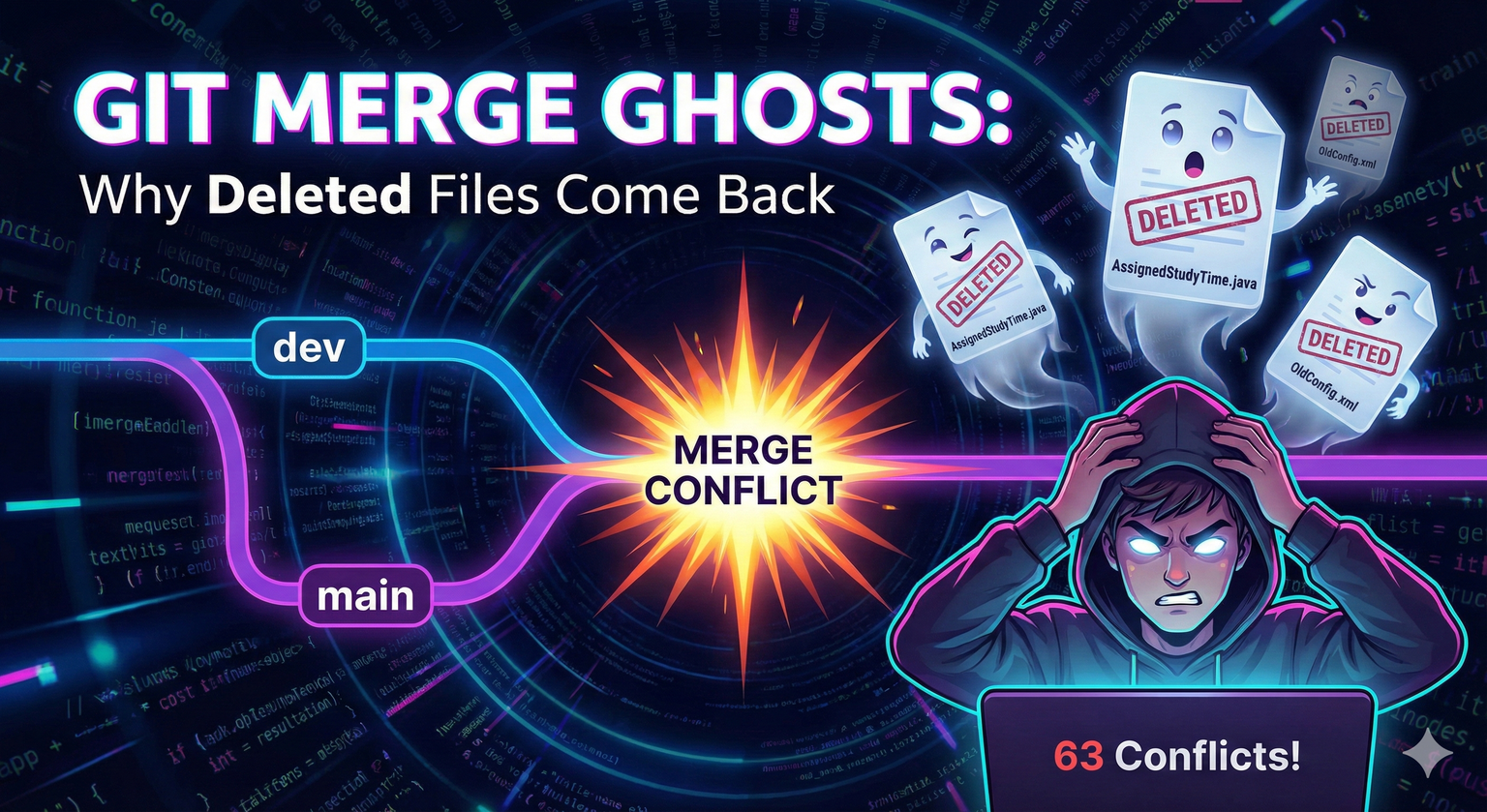
The Problem: “I didn’t touch main at all…?”
Today I tried to create a PR and ran into a strange situation.
No direct commits to main branch
Only worked on dev branch
But when I merged main into dev, 63 files had conflicts. And the files I had deleted were trying to come back.
Changes to be committed:
    new file:   src/.../AssignedStudyTime.java
    new file:   src/.../AssignedStudyTimeService.java
I clearly deleted these files in the dev branch, but merging brought them back. Why?
The Three-Way Merge Trap
Git compares three points when merging:
- Merge Base: The common ancestor where both branches diverged
- Ours: Current branch (dev)
- Theirs: Branch being merged (main)
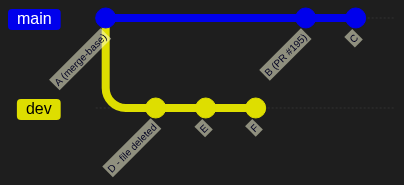
The problem is that Git doesn’t look at intermediate history.
Git only compares the final state of these three points:
| Point | File State | Git’s Interpretation |
|---|---|---|
| Merge Base (A) | Exists | “This is the starting point” |
| dev (Ours) | Deleted | “User wants this gone” |
| main (Theirs) | Exists | “This branch still needs it/has it” |
| Result | Conflict | “Not sure if deletion was intentional or if main is missing a fix” |
Why Does “No Commits on Main” Still Cause Problems?
The key is when main was last synced with dev.
Scenario
PR #195 merged (1 week ago)
         ↓
main:  --A--B--C (state frozen at PR #195)
              \
dev:           D--E--F--G--H (file deletion included)
                          ↑
                      Current dev
- main: “No commits” after PR #195 (correct)
- But main’s state is frozen 1 week ago
- Files deleted in dev still exist in main
The Recursive Merge Strategy Trap
If your branch history is complex (e.g., someone merged dev into main and then you’re merging main back into a different feature branch), the “Merge Base” Git chooses might not be where you think it is.
Note: If main touched the file at all after the merge base (even tiny metadata changes), but dev deleted it, Git triggers a “Deleted vs. Modified” conflict because it doesn’t want to lose the potential “work” done in main.
Result
git merge origin/main
# → Files from main try to be "newly added"
Even without direct commits to main, its stale state causes problems during merge.
When Git Auto-Handles Deletions vs. When It Doesn’t
| Scenario | Result |
|---|---|
| dev deleted, main unchanged | Auto-keeps deletion |
| dev deleted, main modified | Conflict (delete/modify) |
| dev deleted, main also deleted | Auto-keeps deletion |
| Old divergence + complex history | Unpredictable |
My case was the last one. The divergence was too long, and there were many changes in between, so Git couldn’t auto-resolve.
Solutions
1. Auto-Resolve with -Xours Strategy (Recommended)
Tell Git to always prefer dev (ours) when there’s a conflict:
# "If there's a conflict, prefer our version (dev) automatically"
git merge origin/main -Xours
Whether it’s deletions or modifications, dev’s state becomes the final result.
2. Manually Remove Deleted Files During Merge
# Remove from staging (also deletes actual file)
git rm --cached src/.../AssignedStudyTime.java

# Complete merge commit
git commit -m "Merge main into dev - keep deletions"
3. Choose “Ours” (For All Conflicting Files)
# Keep dev branch state
git checkout --ours src/.../AssignedStudyTime.java
git add .
4. Merge Frequently (Prevention)
# Merge main into dev weekly
git fetch origin
git merge origin/main
Long divergence leads to merge hell. Frequent sync is the answer.
Alternative: Avoid the Problem with Rebase
Instead of merge, you can use rebase to avoid this problem entirely.
Merge vs Rebase
| Feature | Git Merge | Git Rebase |
|---|---|---|
| History | Preserves exact history (messy) | Clean, linear history (organized) |
| Conflict Handling | One big “Merge Conflict” event | Handled commit-by-commit |
| Deleted Files | Often “resurrected” | Usually stay deleted as intended |
Why Rebase Works
Before Rebase:
          (You deleted the files here)
dev:       D -- E -- F
          /
main:  A -- B -- C (Files still exist here)

After Rebase (git rebase main):
main:  A -- B -- C
                  \
dev:               D' -- E' -- F'
Rebase takes your commits and reapplies them on top of main’s latest state. When your delete commit (D) is applied directly onto main (C), the files exist in C, so your commit simply deletes them. No three-way comparison needed to “guess” your intent.
How to Rebase
# 1. Update your local main
git checkout main
git pull origin main

# 2. Go back to your feature branch
git checkout dev

# 3. Rebase onto main
git rebase main
⚠️ The Golden Rule of Rebase: Never rebase a branch that has already been pushed to a shared repository (like a public main or develop). Rebase rewrites history, and if others are working on that same history, it will cause a nightmare for them. Only rebase your own local feature branches!
Key Takeaways
- Git is a State Machine, not a History Book: It cares about the result of the three points, not the journey you took to get there
- Stale Branches are Dangerous: main doesn’t need new commits to cause trouble; it just needs to be “old”
- The “Delete/Modify” Trap: If main touched the file at all since the divergence, Git will second-guess your deletion
- Rebase is an Alternative: Linear history can avoid this problem entirely
Comments