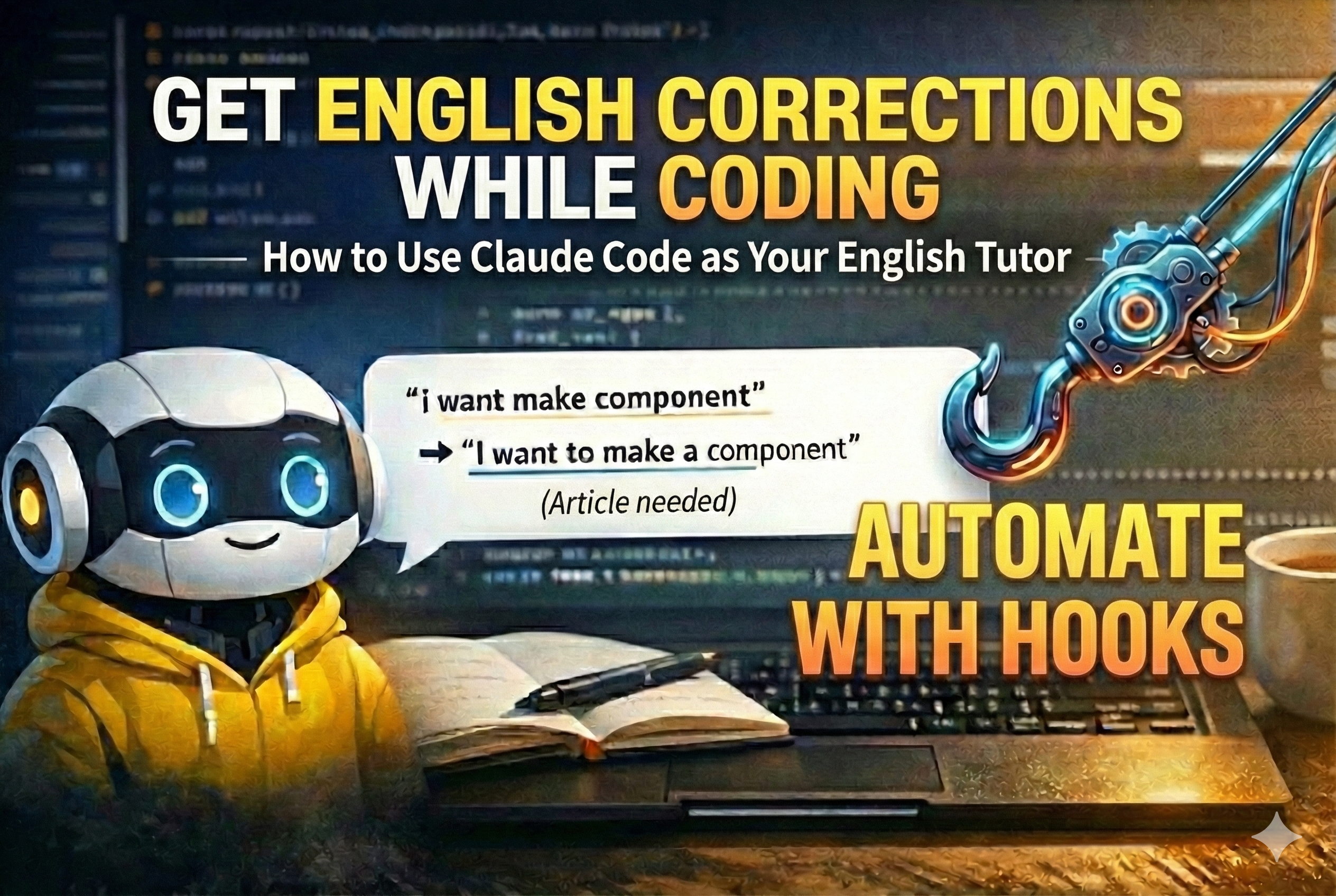
The Problem
As a Korean developer, I use English every day. Docs, Stack Overflow, GitHub issues, commit messages, PR reviews. But nobody corrects my grammar. Mistakes go unnoticed because the meaning gets across, and the same errors become habits.
My most common mistake? Missing articles (a/an/the). Korean has no articles, so this is predictable.
❌ "give me solution"
✅ "give me a solution"

❌ "can you make daily review"
✅ "can you make a daily review"
Grammarly could catch these. But I’m not going to switch between apps while coding. The correction has to happen inside the tool I’m already using.
There was another motivation too: saving tokens. Korean text encodes into far more tokens than English for the same content. When you’re using an AI coding tool daily, writing in English noticeably reduces token consumption. English practice and cost savings at the same time.
And one unexpected side effect. When you curse at the AI out of frustration, it has to process that emotional text and respond to it — tokens spent on nothing productive. Knowing the correction system is watching makes you think twice before rage-typing, and that means fewer tokens wasted on emotional noise.
Claude Code Hooks — Programming the AI’s Behavior
Claude Code is Anthropic’s CLI-based AI coding tool. You run claude in your terminal, and the AI writes code, edits files, and runs commands through conversation.
The key feature here is Hooks. Hooks execute shell commands automatically when specific events fire. Claude Code has 12 hook events. This project uses 3:
| Hook | When It Fires | Purpose |
|---|---|---|
SessionStart |
Session begins | Load previous learning data |
UserPromptSubmit |
User sends a message | Correct English in every message |
SessionEnd |
Session terminates | (Tried to use it. Gave up. More on this below.) |
The core mechanism: hook stdout gets injected into the AI’s context.
User sends message
    ↓
UserPromptSubmit hook runs (shell command)
    ↓
stdout: "Correct English mistakes in the user's message"
    ↓
AI reads this instruction and corrects English alongside its normal response
In other words, hooks are a pipeline for injecting instructions into the AI on every interaction. You can program the AI’s behavior with code.
But there’s a constraint. Hooks can only run shell commands. echo, cat, type, and similar primitives. AI-level processing (analyzing logs, writing summaries) can’t happen inside a hook. This constraint shaped the entire design.
Implementation: 3 Files
The whole system is just 3 files.
1. Correct Every Message (UserPromptSubmit hook)
Every time the user sends a message, inject an instruction telling the AI to correct English mistakes.
~/.claude/settings.json:
{
  "hooks": {
    "UserPromptSubmit": [
      {
        "hooks": [
          {
            "type": "command",
            "command": "echo If the user made any English mistakes in their message, you MUST correct them with a brief grammar explanation. Format: original -> correction (reason). Keep it 1-3 lines max. Also append the correction to ~/.claude/english-practice-log.md under today's date in the Daily Log section."
          }
        ]
      }
    ]
  }
}
The instruction does two things: correct mistakes inline, and log them to the practice file. But the AI will ask permission every time it edits a file. To auto-allow edits to the log file, add this to settings.json:
"permissions": {
  "allow": [
    "Edit:~/.claude/english-practice-log.md"
  ]
}
That’s it. Now every English message gets a correction, and the correction is automatically recorded.
Me:    "i want make new component for login"
Claude: (correction: "i want make" → "I want to make" — need 'to' before infinitive)
        Sure, let me create a login component...
It doesn’t break the coding flow. The correction is 1–2 lines, then straight into the actual work.
2. Track Corrections (english-practice-log.md)
Corrections without tracking are meaningless. You need to see which mistakes repeat.
~/.claude/english-practice-log.md:
# English Practice Log

## Pattern Tracking
| Pattern | Frequency | Examples | Tip |
|---------|-----------|----------|-----|
| Missing articles (a/an/the) | | | Korean doesn't have articles |
| Capitalization | | | Always capitalize: I, English |

## Daily Log

### 2026-02-02
- "im" → "I'm"
- "can you fix me" → "can you correct me"
- "give me solution" → "give me a solution"
- "observe my english" → "observe my English"

**Pattern observed:** Missing articles is the most common issue.
The AI logs corrections to this file automatically as they happen. (The hook instruction includes a directive to append to the log.)
3. Analyze on Session Start (SessionStart hook)
When the next session starts, the hook feeds the entire log file to the AI. The AI reads it, analyzes the current weaknesses, and displays a briefing.
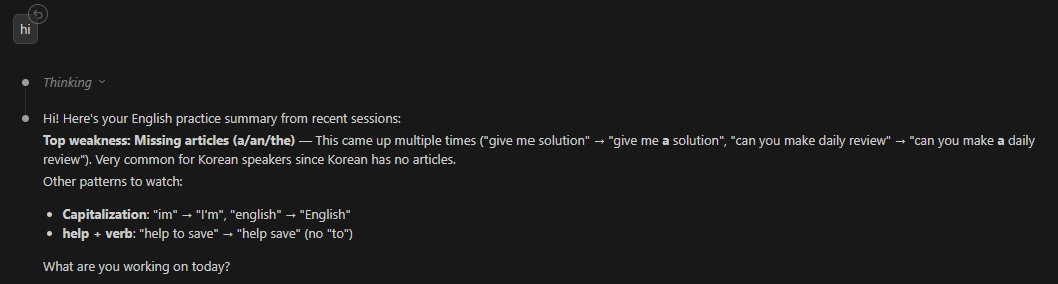
{
  "SessionStart": [
    {
      "matcher": "startup",
      "hooks": [
        {
          "type": "command",
          "command": "echo Analyze the following English practice log and identify the user's current top weaknesses. Display a brief summary at session start. && cat ~/.claude/english-practice-log.md"
        }
      ]
    }
  ]
}
On Windows, replace
catwithtype.
How the Design Changed
The first design looked like this:
During session: Log corrections to a file
End of session: Analyze the log, write a summary to english-practice-summary.txt
Next session start: SessionStart hook reads summary.txt and passes it to the AI
Clean in theory. But “update the summary at end of session” was the problem.
Can we automate it with a SessionEnd hook? No.
Here’s the natural question: “The AI analyzes the log in the SessionStart hook. Why not do the same thing in SessionEnd?”
The difference is whether the AI can act after the hook runs.
SessionStart hook fires → stdout injected into AI context → AI starts session, analyzes and responds
SessionEnd hook fires   → stdout injected into AI context → ...and then? The session terminates.
The reason the AI can analyze in SessionStart is that the entire session lies ahead after the hook output is received. The AI has time to read the context, respond, and modify files.
SessionEnd is the opposite. After the hook executes, the session closes. Even if the AI receives the log, there’s no next turn to write a summary and save it to a file. And the hook itself can only run shell commands — so even if you echo the log, there’s no agent to analyze it and generate a summary file.
What about doing it manually? I could add it to a /finish command that runs at the end of each session. But the reality is — I forget to use /finish.
So I flipped the approach. Eliminate the summary file. Feed the raw log directly to the AI.
❌ v1: log → (AI generates summary) → summary.txt → hook reads it
   Problem: No way to automate when the summary gets generated

✅ v2: log → hook reads it raw → AI analyzes it fresh every time
   Solution: Analysis is always current. The update step doesn't exist.
Give the AI the raw data and it analyzes the latest state every time. No intermediate files to manage, nothing to forget to update.
Results
Here’s what it looks like in practice — corrections inline with the actual coding conversation:
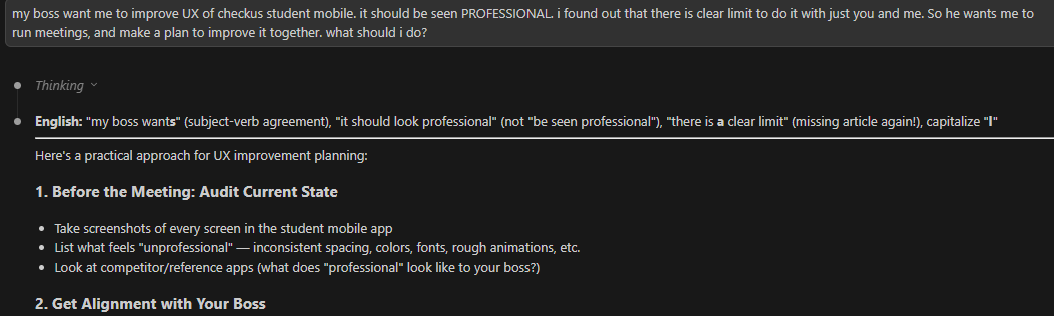
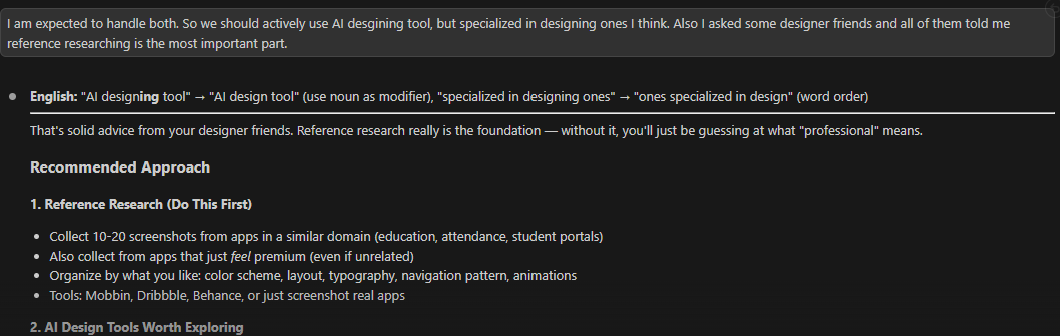
After 2 days of use:
| Pattern | Count | Example |
|---|---|---|
| Missing articles | 2 | “make daily review” → “make a daily review” |
| Missing capitalization | 2 | “english” → “English” |
| Word choice | 1 | “fix me” → “correct me” |
| Verb pattern | 1 | “help to save” → “help save” |
Small sample, but the pattern is already visible: articles keep getting dropped. Just being aware of this makes you start catching it yourself.
Full Configuration
Copy-paste ready. Add this to ~/.claude/settings.json:
{
  "hooks": {
    "SessionStart": [
      {
        "matcher": "startup",
        "hooks": [
          {
            "type": "command",
            "command": "echo Analyze the following English practice log and identify the user's current top weaknesses. Display a brief summary at session start. Then correct English mistakes inline during this session. && echo --- LOG START --- && cat ~/.claude/english-practice-log.md && echo --- LOG END ---"
          }
        ]
      }
    ],
    "UserPromptSubmit": [
      {
        "hooks": [
          {
            "type": "command",
            "command": "echo If the user made any English mistakes in their message, you MUST correct them with a brief grammar explanation. Format: original -> correction (reason). Keep it 1-3 lines max. Also append the correction to ~/.claude/english-practice-log.md under today's date in the Daily Log section."
          }
        ]
      }
    ]
  },
  "permissions": {
    "allow": [
      "Edit:~/.claude/english-practice-log.md"
    ]
  }
}
On Windows, replace
catwithtypeand use\\in paths.
Create the log file at ~/.claude/english-practice-log.md. The format is flexible, but the Pattern Tracking table + Daily Log structure works well.
Beyond English
This structure isn’t limited to English.
- Japanese correction: Get grammar corrections while chatting in Japanese
- PR review style: Improve how you write code review comments
- Terminology consistency: Enforce consistent term usage across a project
The essence of hooks is “injecting context into every interaction.” Any kind of feedback loop can be built on top of this.
Takeaways
- Adding features to a tool you already use is the most effective approach. Separate apps get abandoned.
- Understand that hooks can only run shell commands. Don’t try to do AI-level processing inside a hook. Feed raw data to the AI and let it handle the analysis.
- “I’ll update it later” plans fail. If you can’t automate a step, eliminate the step entirely.
- Corrections must be short. More than 1–2 lines disrupts the workflow. That’s why the hook instruction says “Keep it 1-3 lines max.”
Comments